



SMS Opt-In Evidence
Last updated: August 2026
This page documents the opt-in surfaces for the Composed Studio SMS program on toll-free number +1 (855) 787-3127, described in our SMS Terms. It exists so that a carrier or verification reviewer can see exactly where and how a subscriber consents before any message is sent. The screenshots below are taken from a demonstration environment and contain no real subscriber data.
There are two ways a phone number enters this program, and each has its own consent record.
1. Two-factor and sign-in verification codes (user-initiated opt-in)
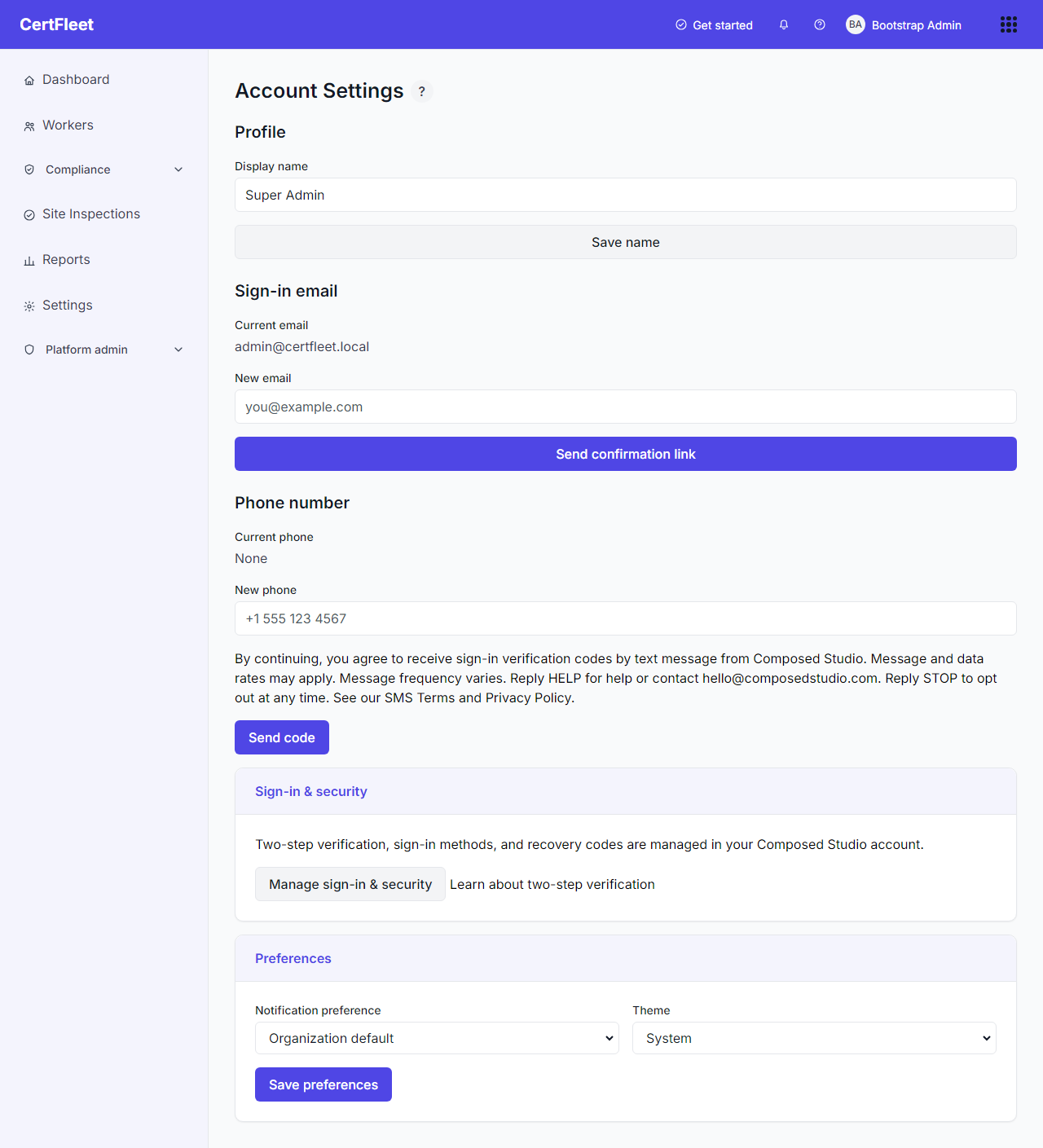
A user adds their own phone number in Account Settings. The disclosure is shown at the point of collection, directly above the button that sends the first message, and it names the sender, the message type, frequency, rates, and the STOP and HELP keywords. Nothing is sent until the user submits their own number, and the number is not activated as a sign-in method until the user returns the correct verification code, so a mistyped or borrowed number never becomes an active subscription.
2. Credential and service reminders (organization-attested opt-in)
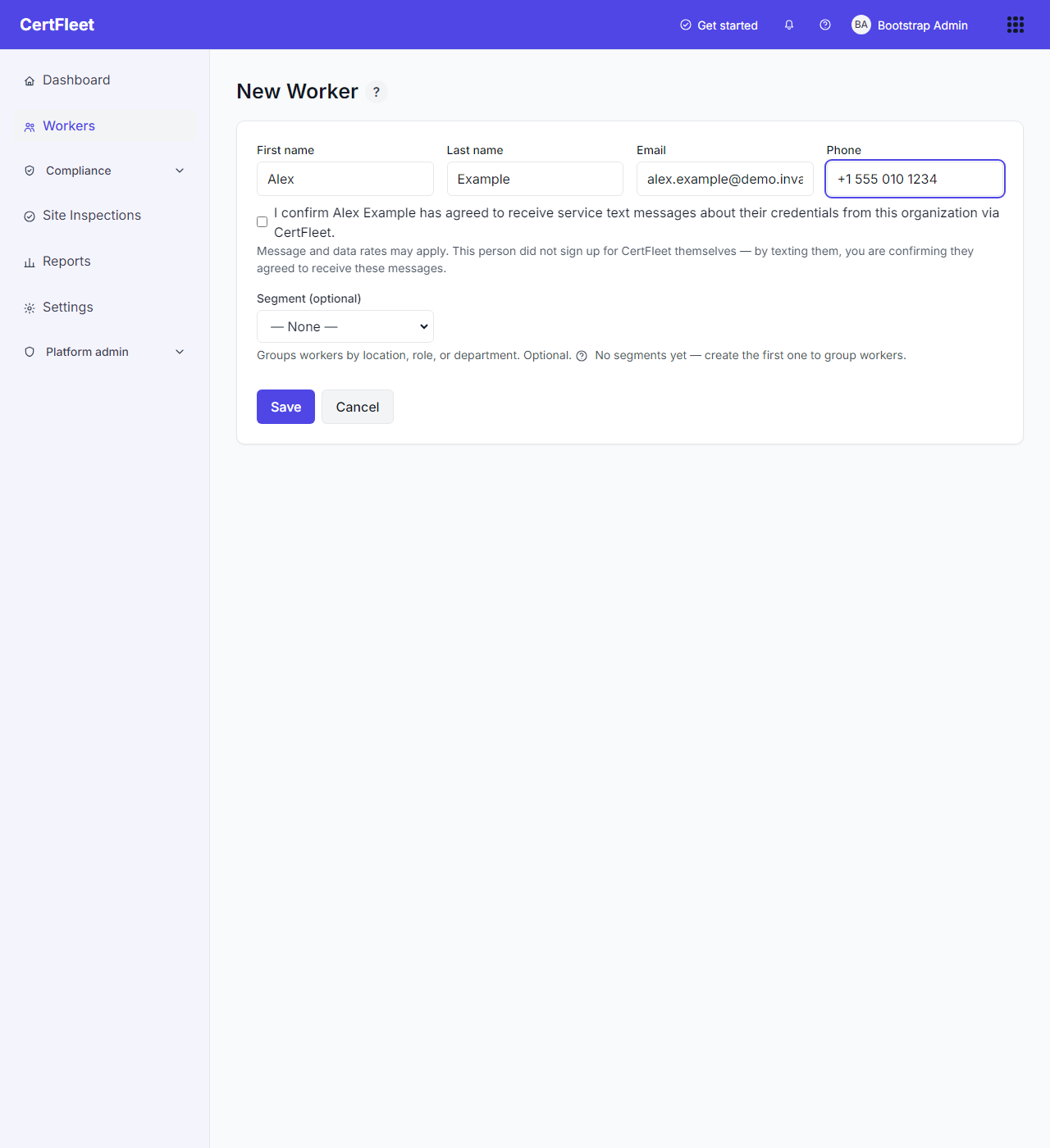
Reminder messages go to workers whose phone numbers an organization keeps on file. A worker does not enter their own number here, so the person entering it must attest that the worker agreed to receive text messages. That attestation is a required step, not a default: the consent control appears as soon as a new or changed phone number is entered on the worker form, and the record cannot be saved without it. The server rejects the request with "Confirm the worker has agreed to receive text messages before saving a phone number." if the attestation is missing, and the stored worker record keeps the identity of the attesting administrator and the timestamp alongside the number. Changing a number to a different one clears the previous attestation, because a new number is new consent.
The first message sent to any such number carries full sender identification and the STOP and HELP instructions before anything else, so a recipient can opt out on first contact without needing to have seen this page.
Opting out
Replying STOP to any message stops everything we send to that number, from either surface above. Replying HELP returns our contact details. The full terms, including message frequency, rates, and carrier liability, are on the SMS Terms page.