Equipment certification & compliance tracking
CertEquip: equipment certification tracking software
CertEquip is equipment certification tracking software for SMBs in regulated trades: carriers with DOT-inspected equipment, construction firms running cranes and lifts, ISO 9001 machine shops, and food-service operators with equipment on an inspection schedule. It registers every regulated asset, tracks its certifications, inspections, and calibrations, and starts reminding you weeks before anything expires. CertEquip records and reminds. It does not certify equipment, and it never decides whether something is safe to operate.
In short
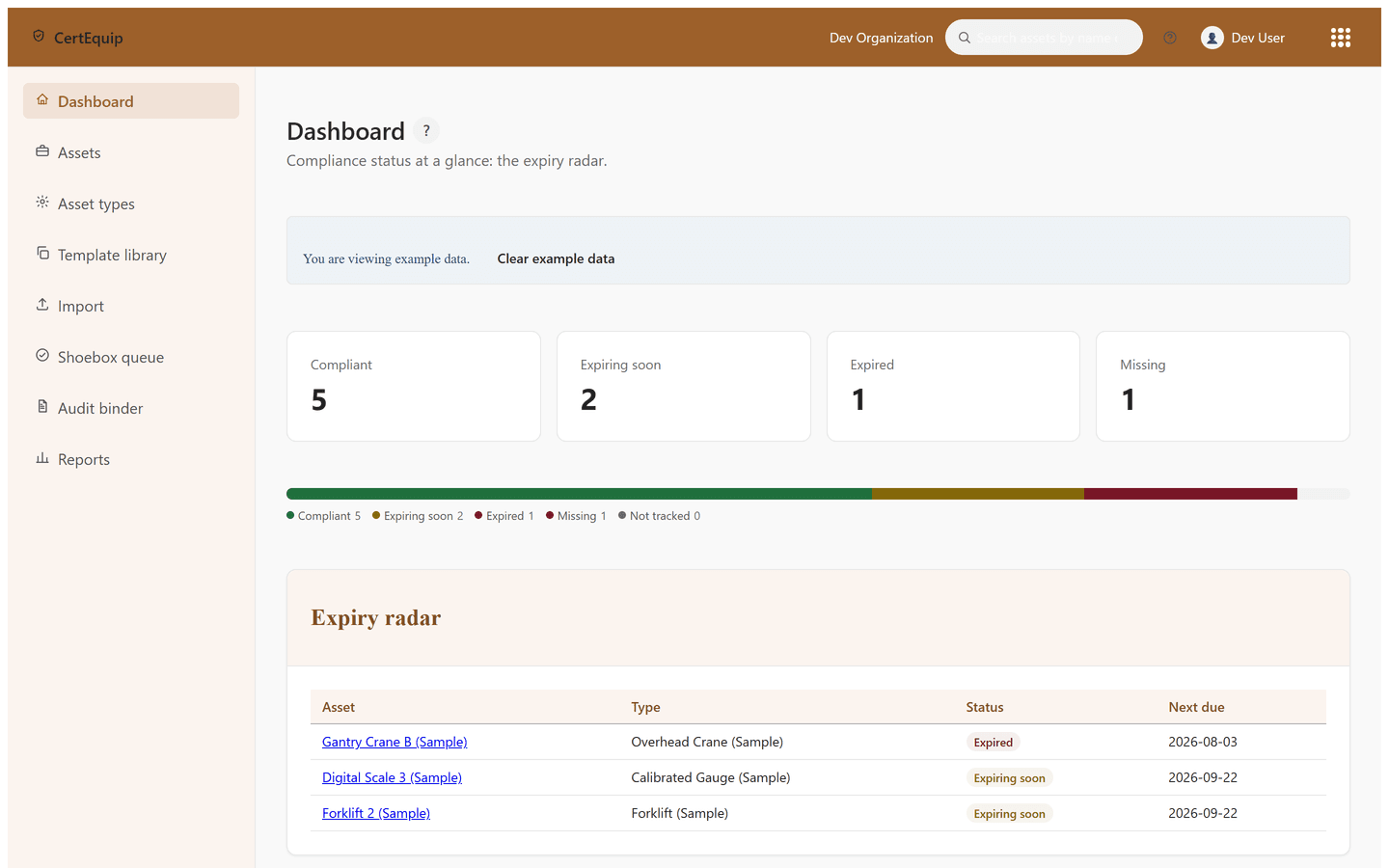
Every regulated asset has its own certification history, and CertEquip watches every asset's next-due date, soonest first, on an expiry radar.
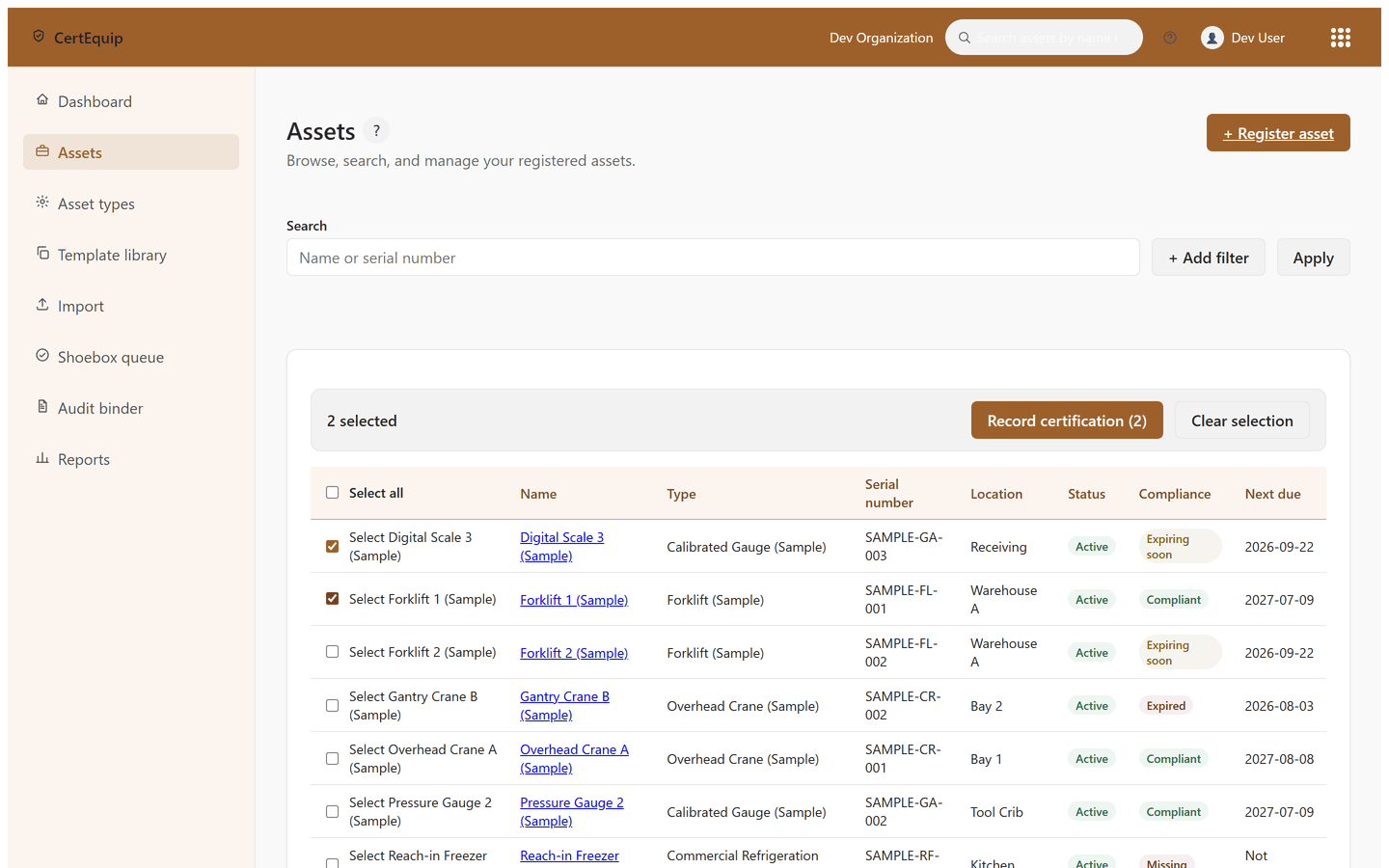
Certification records are append-only. Recording a new certification never erases the last one, so the full history is always there for an audit.
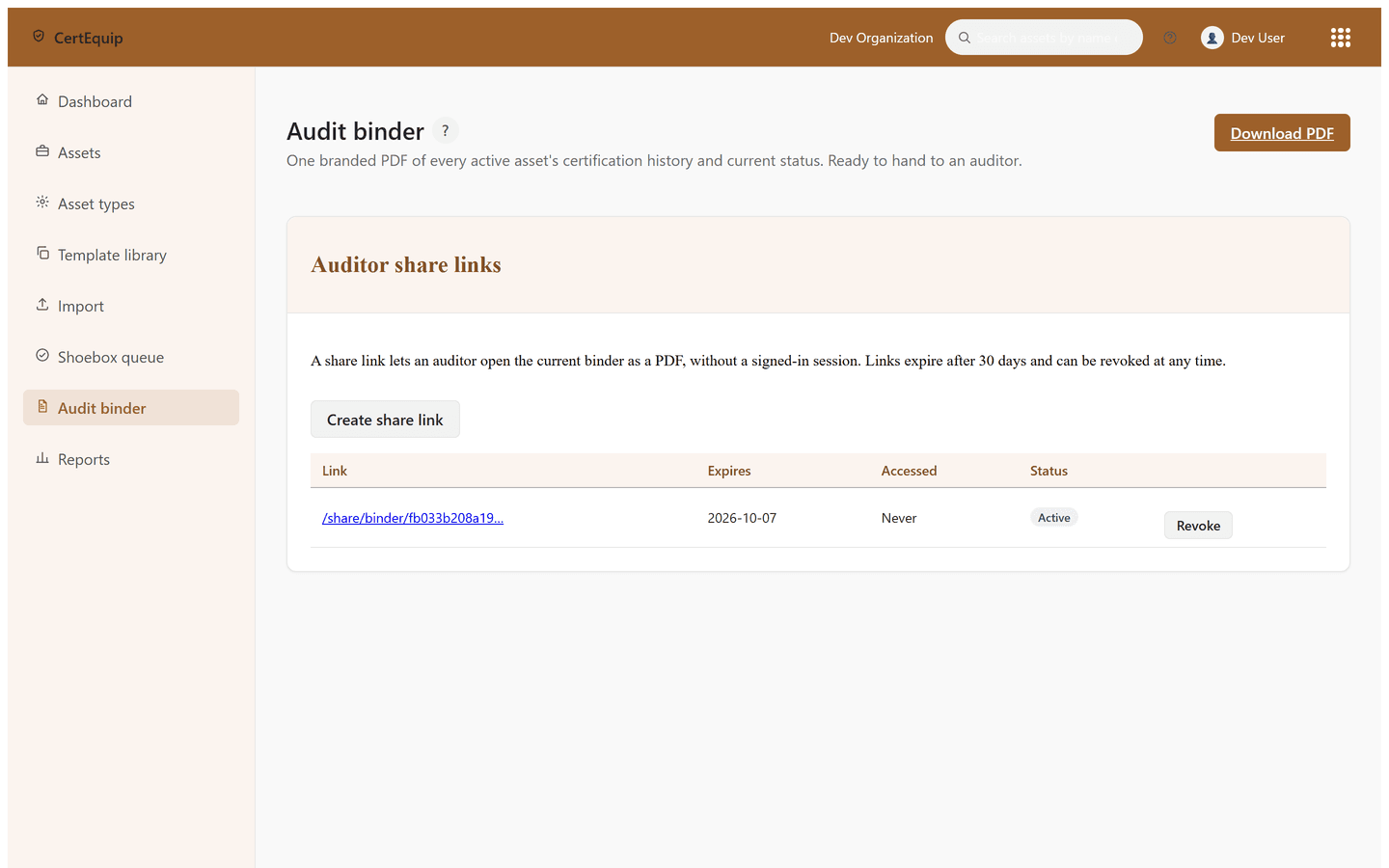
When someone asks for proof, you generate an audit binder PDF and share it with an auditor through a link that expires and can be revoked.
Assets and certifications come in by CSV import or by photo/PDF upload with AI-assisted extraction, but a person always confirms what the system found before it becomes an official record.
For the ops-safety manager who inherited a binder full of calibration certificates
CertEquip is for the owner-operator or ops-safety manager who tracks recertification dates in a spreadsheet, a wall calendar, or a literal binder, and finds out about a lapsed calibration when an auditor or a general contractor asks for proof. It takes over watching every asset's next-due date and starts each reminder early enough that the paperwork is done before the deadline arrives. When the audit actually happens, the binder is a few clicks away instead of an afternoon of digging through file folders.
What CertEquip does
Asset registry
Register equipment under asset types you define, each with its own calibration interval and requirement. Certification history per asset is append-only.
Audit binder + share link
Generate a branded PDF of an asset's or the fleet's certification history and current status, and hand an auditor a revocable link. No login required on their end.
Expiry radar
Every regulated asset has a next-due date, and CertEquip watches all of them on one dashboard, soonest first.
Reminders with a delivery ledger
Email reminders go out at the lead times you configure, plus a monthly digest. Every dispatch is recorded in an immutable ledger you can see per asset.
Template library
Start from a curated library of asset-type templates with references to the governing requirement, instead of a blank form. Propose new ones; nothing publishes without review.
CSV + shoebox import
Bring in assets and certifications by CSV, or snap a photo of a certificate and let AI extraction pre-fill the fields. A person confirms every record before it counts.
Pricing
CertEquip is priced flat by how many assets you track, never by how many people log in: every plan includes unlimited users. Starter includes up to 50 tracked assets and the full workflow, from the asset registry through the audit binder. Growth covers up to 250 assets and adds shoebox document intake plus the compliance reports. Pro has no asset cap. Annual billing costs less than twelve monthly payments, and every plan starts with a 14-day trial. No card required. Current amounts are on the pricing page.